L’intégration accrue de Microsoft Copilot et l’ajout de nouvelles capacités d’analyse transforment concrètement l’expérience utilisateur. En réduisant les tâches manuelles et en facilitant l’accès aux données, ces innovations permettent aux équipes des ventes de travailler plus efficacement et de prendre des décisions mieux éclairées.
Quelles sont les nouveautés de Microsoft Dynamics 365 Sales et comment peuvent-elles améliorer la performance des équipes des ventes ? Voici les principales fonctionnalités à connaître.
Accelerate daily work with artificial intelligence
Smart Grid: interact with your data using natural language
With Smart Grid, searching and filtering data in this CRM software becomes significantly more intuitive. Instead of building complex filters, users can simply describe what they’re looking for in natural language. For example, a query like “opportunities with an estimated amount greater than $10,000” instantly generates a refined view, without any technical setup.
This approach makes data exploration faster and more accessible. Users can easily adjust or clear filters, making it simple to move between different views and analyses. In practice, this means quicker access to relevant information and greater autonomy for sales teams.

Smart Paste: streamline data entry
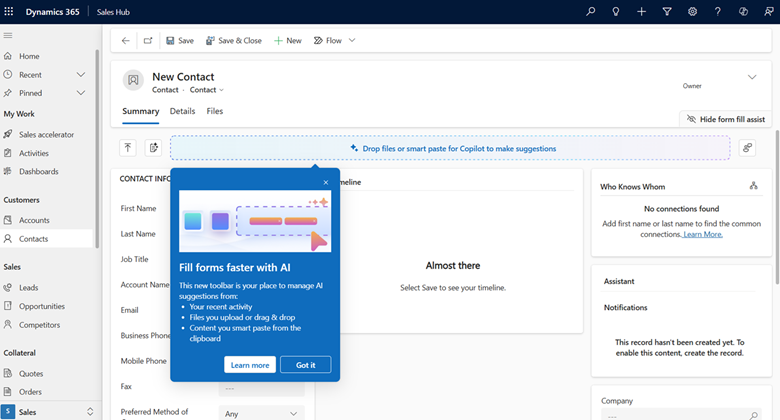
Data entry is essential, but often time-consuming. With Smart Paste, Microsoft Dynamics 365 Sales introduces a more efficient approach by using artificial intelligence to interpret content copied to the clipboard.
Whether working with text or images, the system can analyze the content and suggest relevant field values automatically. Users can accept, modify, or ignore these suggestions depending on their needs. This functionality helps structure data quickly while maintaining full control over accuracy, all while supporting better sales automation.
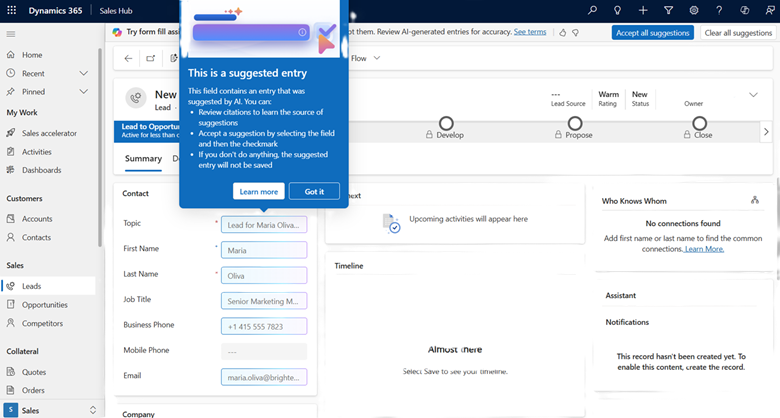
Form Fill Assist: leverage information directly from files
Form Fill Assist takes automation a step further by allowing users to extract information directly from files. By uploading or dragging and dropping documents, users receive field suggestions based on AI-driven content analysis.
This is especially valuable when working with external documents such as proposals, emails, or client files. It significantly reduces manual data entry while improving consistency and enabling better reuse of existing information within the CRM.
Better understand your data to drive sales performance
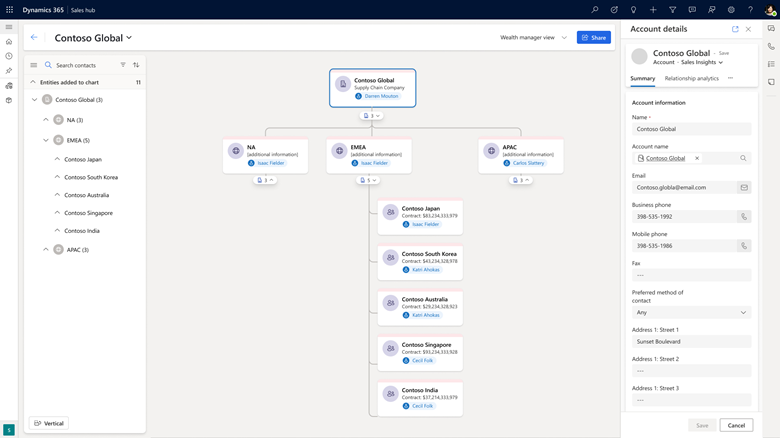
Hierarchical visualization: a clearer view of relationships
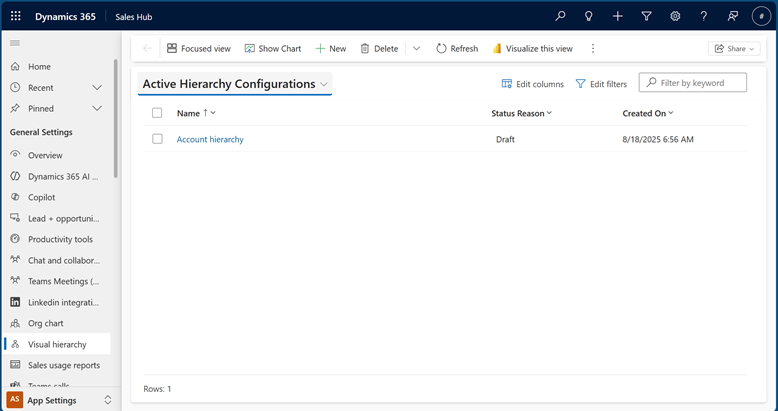
New hierarchical visualization capabilities allow users to represent data graphically, making it easier to understand relationships between records such as accounts, contacts, and opportunities. Whether working with simple hierarchies or more advanced structures involving multiple relationships, users can quickly grasp how their data is organized.
This makes it easier to navigate complex business relationships and gain a complete view of a customer or portfolio. With intuitive navigation features like zooming and expanding branches, users can explore data efficiently and access detailed records without leaving the view.
Grouping and aggregating: analyze performance in real time
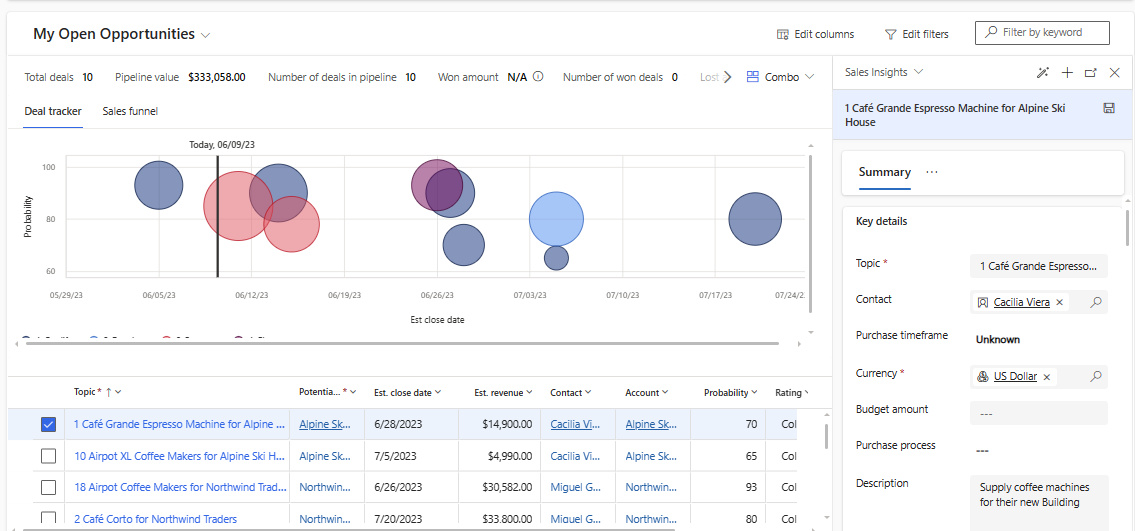
Enhanced grouping and aggregating capabilities allow users to analyze data directly within operational views. Opportunities can be organized by criteria such as account, owner, or closing period, while key metrics like estimated revenue or actual revenue are calculated in real time.
By bringing this level of insight directly into the CRM, organizations can reduce reliance on external reports and make faster, more informed decisions. It also becomes easier to identify trends, prioritize opportunities, and proactively manage sales performance.
A smarter, more action-driven platform
With these updates, Microsoft Dynamics 365 Sales strengthens its role as both an operational tool and a strategic asset. Artificial intelligence simplifies daily tasks and reduces administrative burden, while enhanced analytics capabilities make it easier to turn data into actionable insights.
This combination drives stronger user adoption, improves data quality, and enables sales teams to work more efficiently. By reducing friction and making information more accessible, Microsoft Dynamics 365 Sales helps organizations improve overall sales performance and optimize their sales processes.
Want to go further?
Understanding new features is one thing. Applying them effectively in your environment is where the real value comes from.
The JOVACO team can help you assess how these capabilities fit into your current processes, identify opportunities for improvement, and ensure you get the most out of Microsoft Dynamics 365 Sales.
Contact us to discuss your reality and explore how to turn these innovations into tangible results.
All screenshots provided by Microsoft.